



Monkeyzino Login and Registration
With your Monkeyzino login details, you can return to your account whenever you want and continue playing. And if you need to check your previous actions, you can simply visit the History tab – all the necessary information is saved there.



Why Register a Monkey Zino Account
Your own Monkeyzino account gives you many more options than you would have as an unregistered user. With your profile, you can receive bonuses, join tournaments and get personalized recommendations. Also, you can manage the following settings:
- Limits – Registered members can control how long they play, how much they spend on games and more. Thanks to this, the risk of addiction is minimal.
- Security – You can change your Monkeyzino login credentials or activate two-factor authentication.
- Payment methods – On our platform, you can make a deposit in many different ways – all you have to do is choose what you like most. Plus, you can save your details to top up your balance in seconds.
- Currencies – Monkeyzino supports over 10 options, and you can select the one that you want from a special menu.
- “Favorites” – You can add any games you like to this category, so you can return to them later.
- Notifications – If you don’t want to miss anything important about bonuses and promotions, you can turn on push alerts or sign up for our newsletter.
After registering, you’ll also find many new options and sections on our platform. For example, you’ll see the Balance, Deposit, Activities and other buttons.
Account Registration
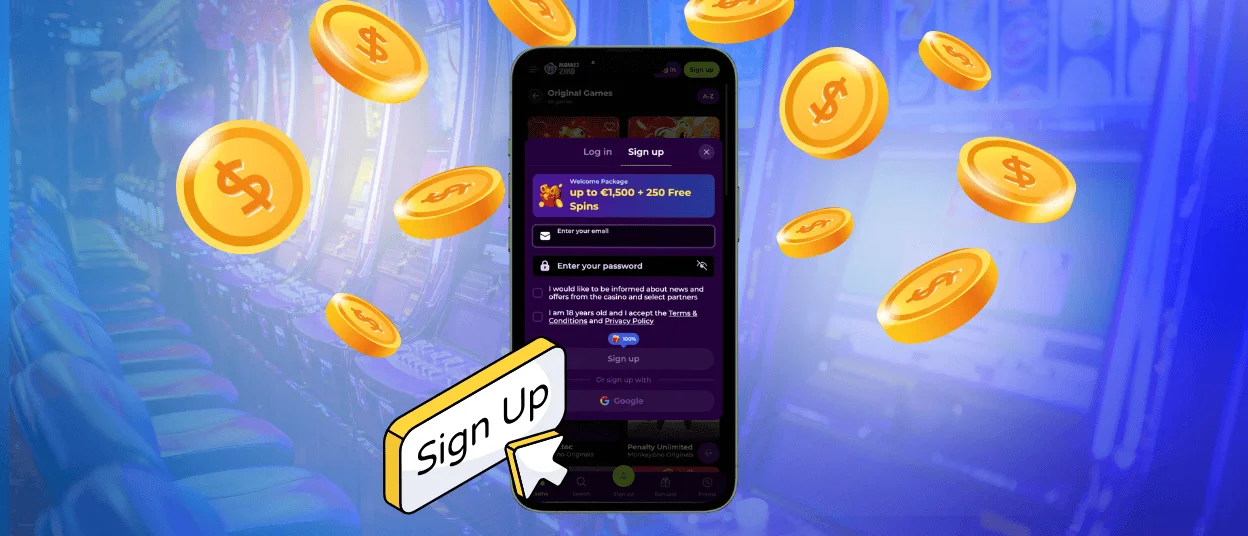
“Sign Up” is the option that you can use to start the Monkeyzino register process. The whole procedure takes no more than 2 minutes and has three simple steps – filling out the form, confirming your registration and setting up your details.
| Step | What You Need To Do | Notes |
| 1 | Add your email and password, then tick the boxes | The Monkeyzino registration form will also show you how much your welcome bonus will be. |
| 2 | Go to your email and click the link in the message | If you can’t find it in your inbox, check your Spam folder. |
| 3 | Fill in your date of birth, phone number and other details | Remember that your name is different from your username. So, make sure that you enter your actual personal data, which you can verify later. |
You don’t have to wait for account approval to use our platform’s features – they’re all available to you from your first Monkeyzino casino login.
How to Log In
With the Log In button, you can open the Monkeyzino login form and enter your email address and password here. Right after that, you’ll be taken to our platform.
Each time you start a new session, you’ll see the latest information about your progress and balance. And it doesn’t matter which device you used previously.
Also, our website supports quick access. So, you can save your Monkeyzino login details by turning on the right browser settings. And if you’re using the mobile app, you can simply tap “Save” the first time you log in.
Monkeyzino Verification Process
To withdraw your winnings at Monkeyzino without any limitations, you need to complete the identity check. To do this, you have to upload a photo of your passport, driver’s license or another document. Sometimes, we also need an additional file from you – such as a PDF of your utility bill.
You can complete the KYC through the Verification section. Please note that all files that you provide must be up to date and of good quality. If you want to read more about our document requirements, you can do so on the Terms and Conditions page.
FAQ
What should I do if I forgot my credentials?
If you only remember your email address, you can easily regain access to your account. Just open the user login form and click the “Forgot Password?” option. Then, you’ll get a reset link in your inbox. But if you don’t have access to your email, please let our support team know.
Why was my account blocked for a short time?
Our system always monitors user accounts for suspicious activity. And if it notices something unusual, your profile can be blocked. Also, you can temporarily lose access after some failed Monkey Zino login attempts.
How long does account verification last?
When everything is done correctly, it takes no more than 72 hours. However, some issues with your documents (for example, if they are not clear enough) can slow down the process.


